How do I read the Competition page?
Where you win against your competitors in AI answers, why, and what to do to take the lead back.
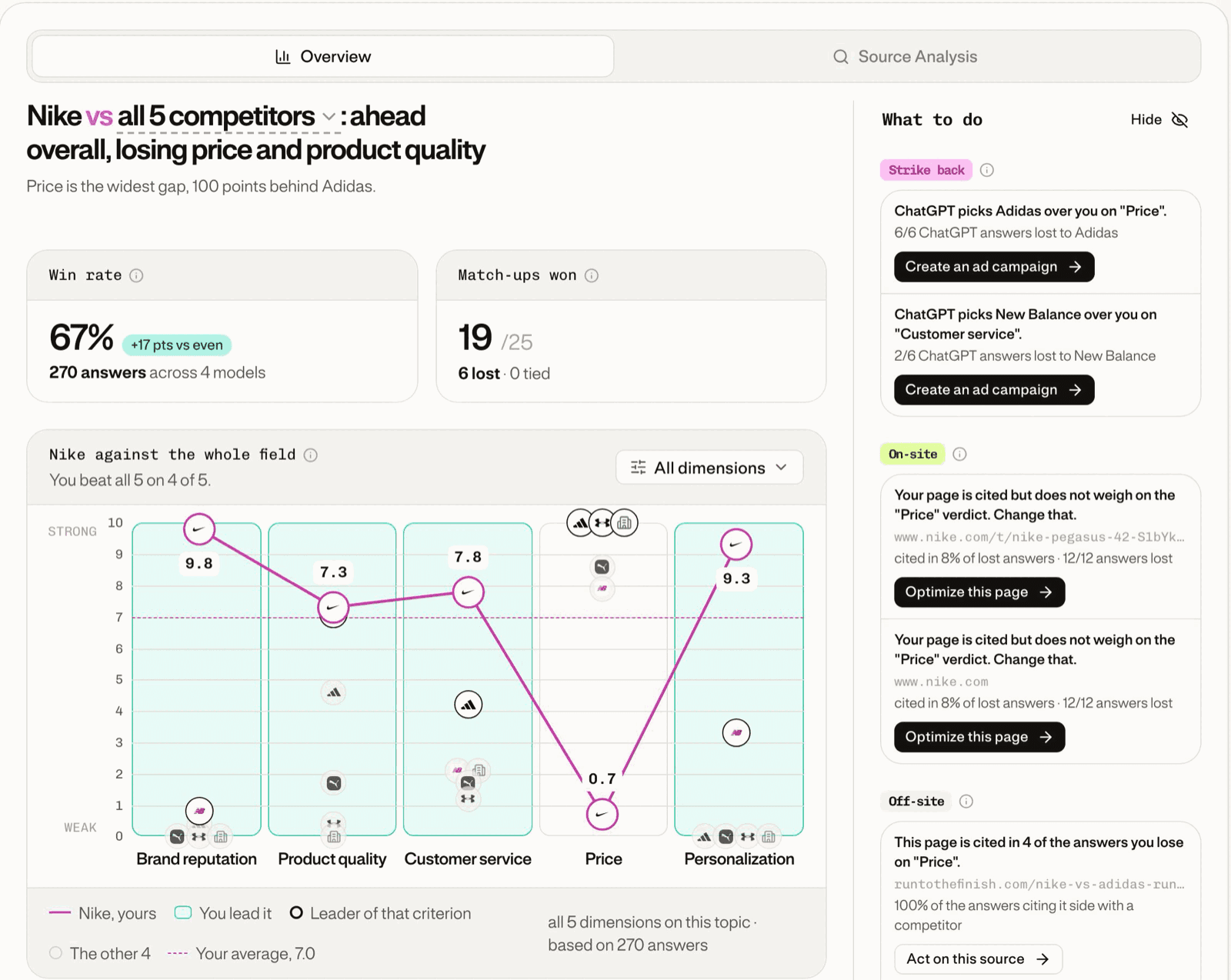
Competition shows where you win against your competitors in AI answers, why, and what to do about it. It compares your brand with your competitors criterion by criterion, across ChatGPT, Gemini, Claude and Perplexity.
The page answers three questions, top to bottom:
- Where am I winning or losing? The verdict, Win rate, Match-ups won and the chart by criterion.
- Why? Where you lose and Source Analysis.
- What should I do? The What to do column.
Step 1: Choose your criteria
Each criterion becomes a prompt asking AI engines to pick between you and a competitor. In the Prompt Wallet, Competition tab, add or remove criteria under Evaluation Criteria, then click Save Changes.
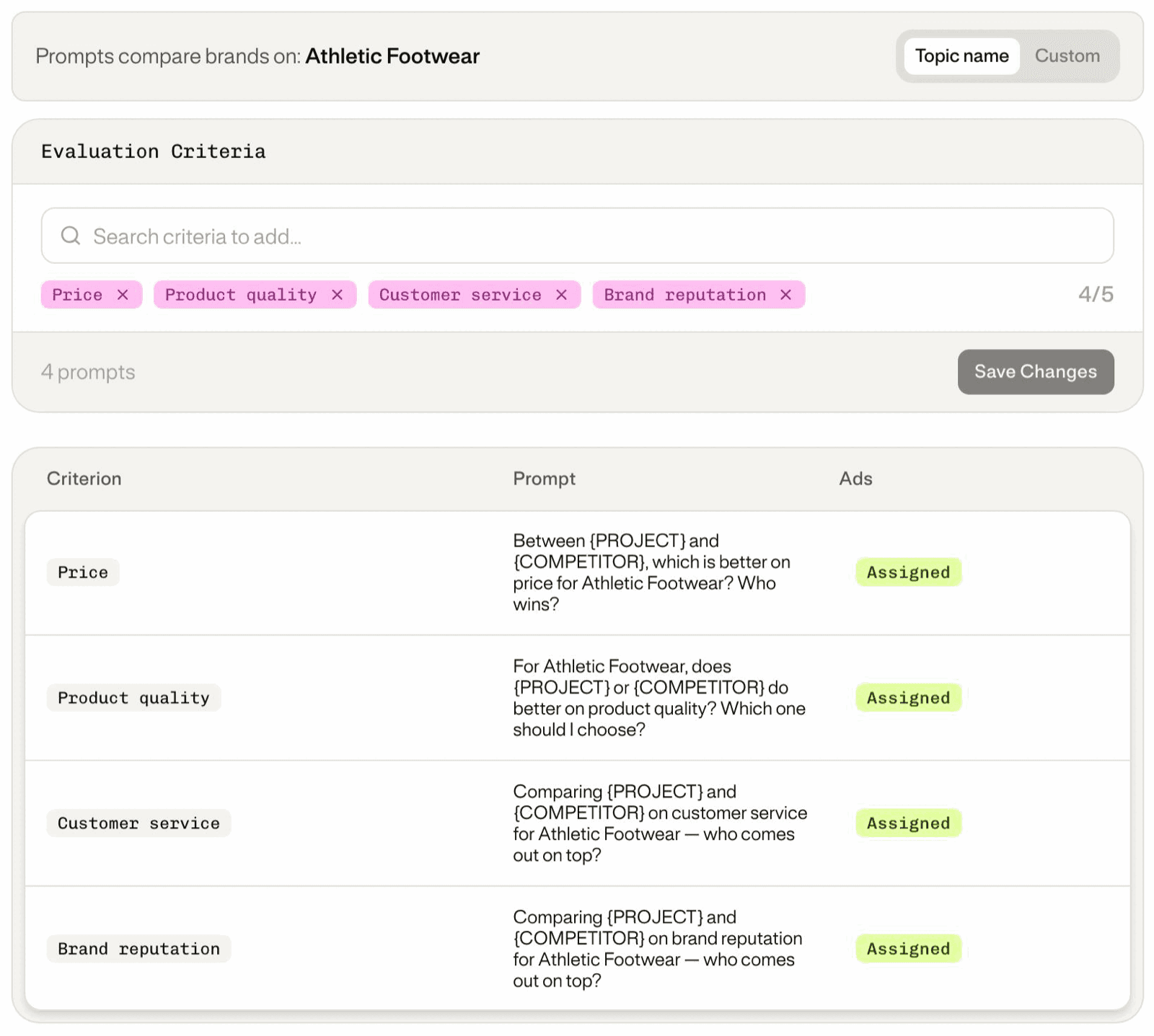
A new criterion appears on the page after the next analysis, not right away.
Step 2: Choose who you compare against
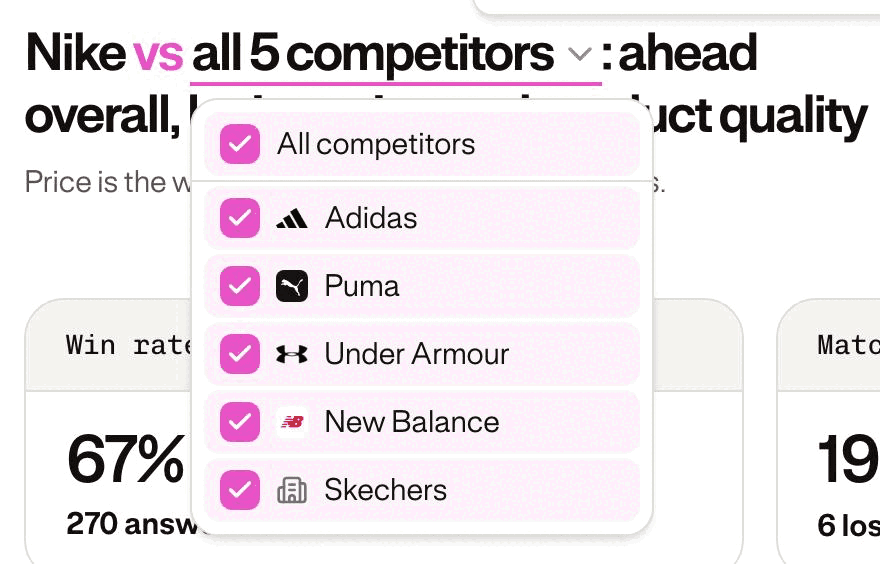
The competitor picker in the verdict scopes the whole page. Pick one competitor for a head-to-head, or all of them to place yourself against the market. With none selected, Win rate and Match-ups won stay empty.
Reading the top of the page
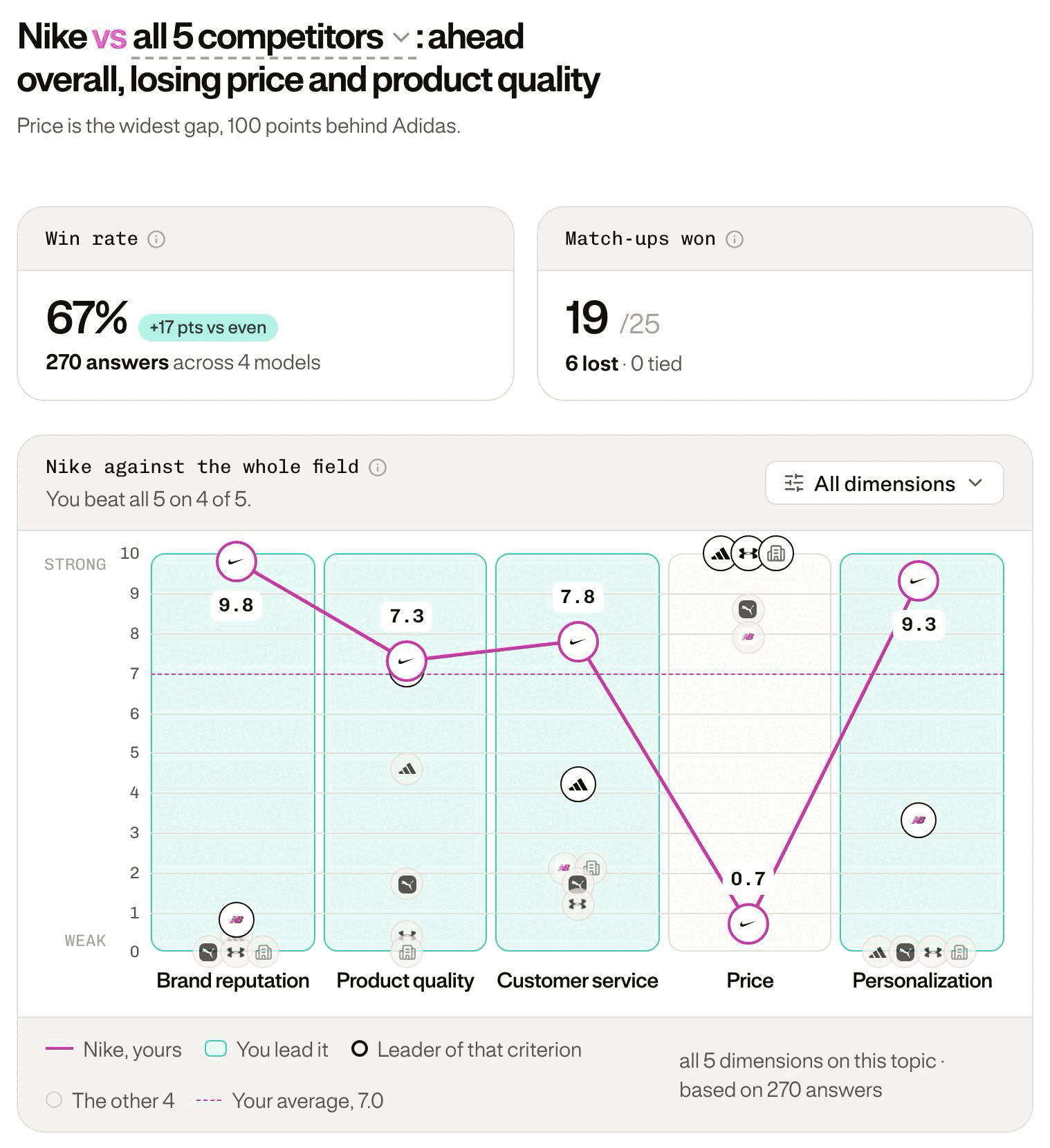
- The verdict says where you stand and which criteria you lose, weakest first. It follows every filter.
- The chart draws your score as a line, one criterion per column, with each criterion's leader circled. The axis is rescaled: read the gaps as relative.
- Win rate is the share of head-to-head answers you win. Match-ups won counts the criterion × competitor pairs where you take more than half the answers.
A match-up won by one point counts as much as one won by a wide margin. Read Match-ups won next to the Win rate.
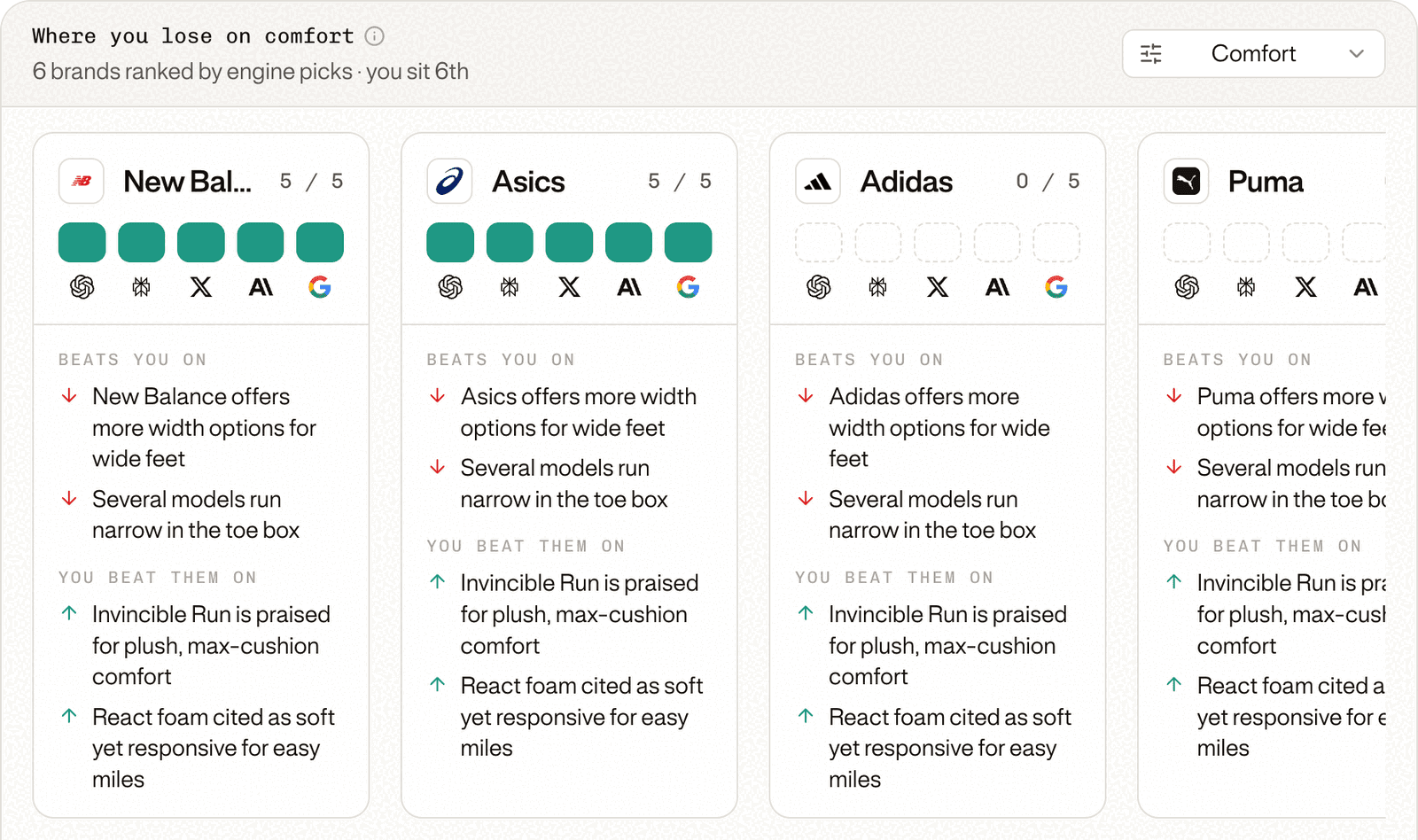
Why: Where you lose
Every brand on a criterion, yours included, ranked by how many AI engines pick it. Each segment is one engine: filled when it picks the brand. Beats you on and You beat them on give the reasons.
Why: Source Analysis
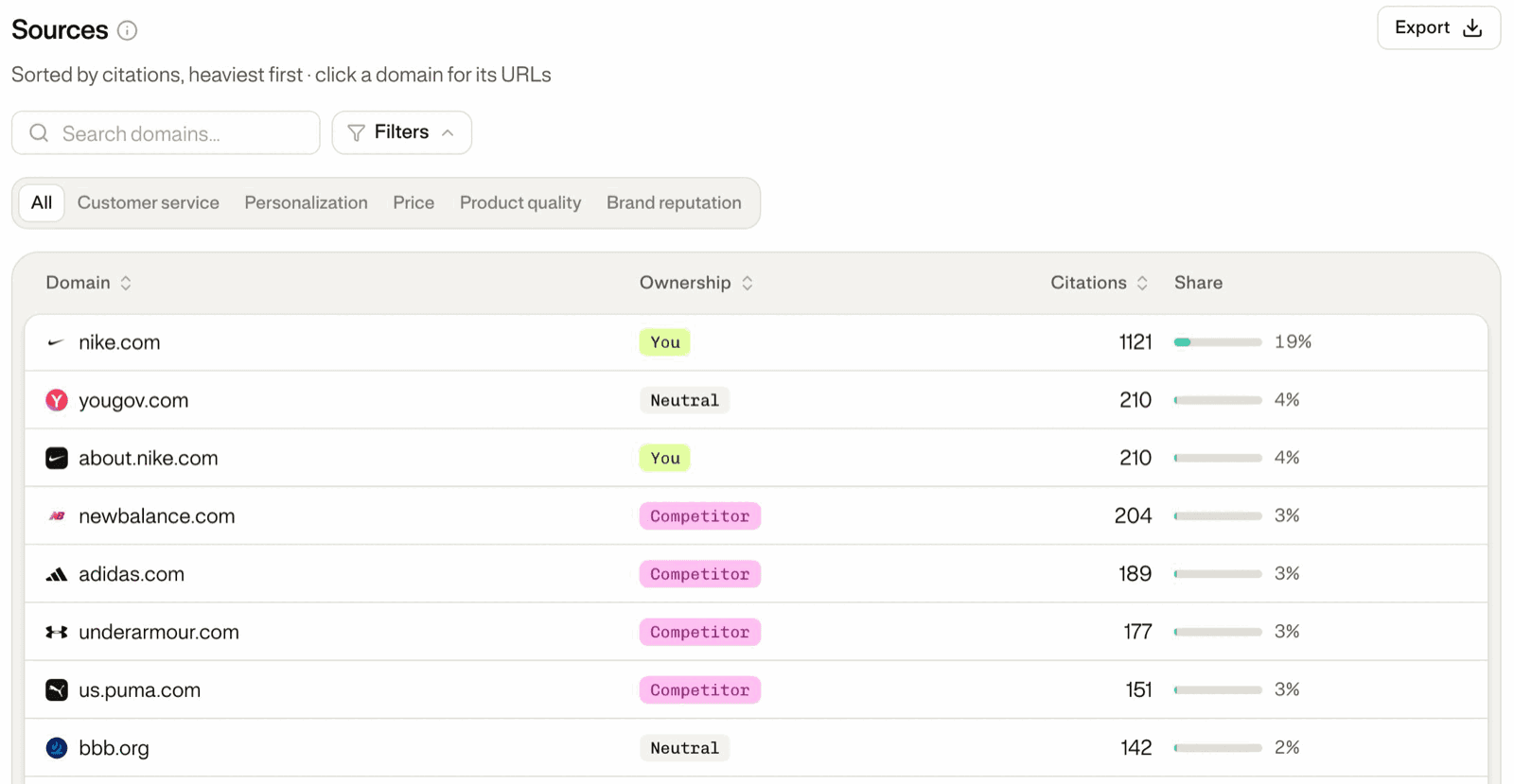
The sites AI engines cite, tagged You, Competitor or Neutral, with their citations and share. Filter on a criterion, then click a domain to see its URLs.
Act: What to do
Every lost criterion becomes an action, and each card's button opens the right tool.
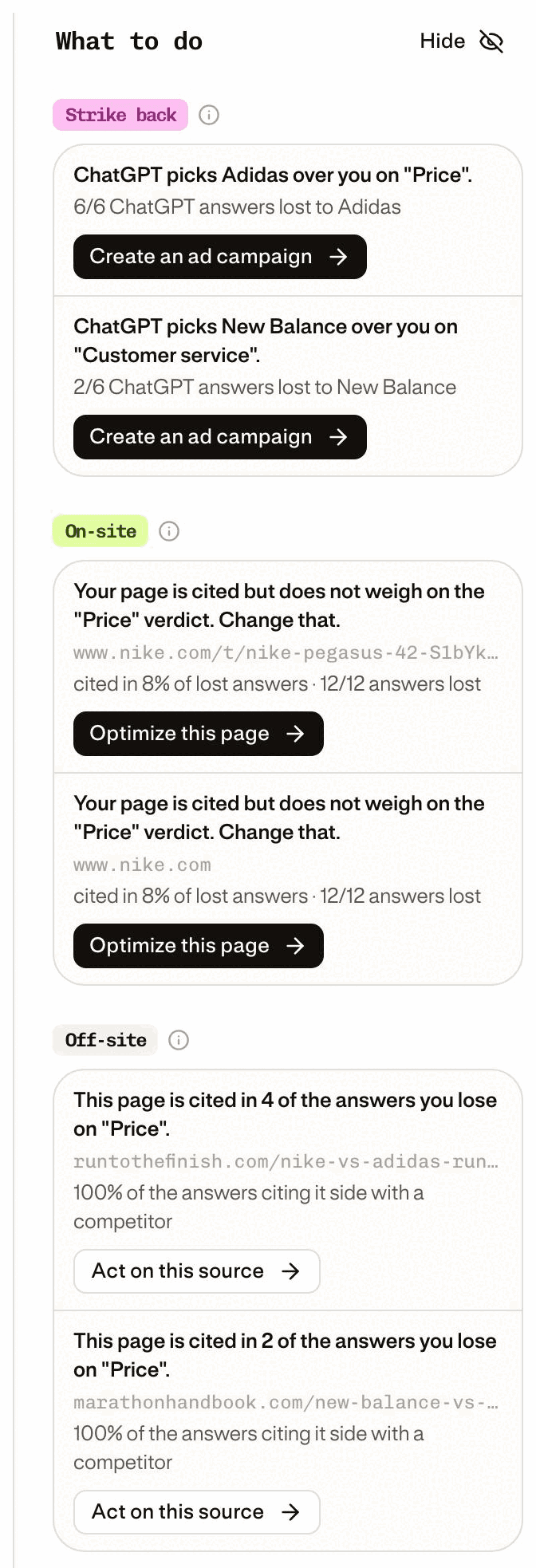
- Strike back: where ChatGPT prefers a competitor. Launches an ad campaign in Ads Studio.
- On-site: your own pages on the prompts you lose. Optimizes or creates a page in Content Studio.
- Off-site: external articles, rankings and forums that could speak for you. Opens the source to act on.
Good to know
- History restarted with the new version of September 23, 2026. Your other analyses are not affected.
- A question? Your GetMint Customer Success Manager can walk you through it.